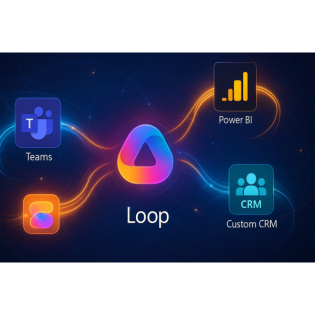
Loop Components: The Secret Link Your Apps Miss
20 Minuten
Podcast
Podcaster

M365 Show brings you expert insights, news, and strategies across Power Platform, Azure, Security, Data, and Collaboration in the Microsoft ecosystem.

Beschreibung
vor 6 Monaten
If your sales team is juggling five different apps to update one
deal, you're in the right place. What if I told you there’s a way
to sync your CRM, Power BI dashboards, and Teams chats with live
information—without switching tabs, copying data, or waiting for
another update cycle? Today, I’ll show you how embedding Loop
components can turn disconnected systems into smart, interactive
workflows that basically talk to each other.
Loop Components: More Than Just Another Widget
If you’ve ever connected your CRM to Power BI, pulled together a
report in Teams, and still found your numbers out of sync, you
know the frustration. It doesn’t matter how many so-called
“integrations” you pile on, your apps keep acting like distant
cousins who only see each other at holiday gatherings. Every tool
claims it “works with” the others, but once the fireworks die
down, you’re left staring at last week’s revenue targets in one
place and a slightly different number in three others. And you
can bet everyone blames the API, the connector, or “user error.”
That’s part of why Loop components keep getting attention—at
first, they look like just another Microsoft gadget trying to get
on your ribbon. But something feels different in the way they
show up and the way they refuse to sit quietly in the
background.Let’s be honest, you’ve probably seen new features
appear in Outlook or SharePoint and thought, “Okay, that’s mildly
helpful… but does it really matter?” Most of these add-ons sit on
top of whatever data you’re already slogging through. They don’t
really change the game—just slap on a new coat of paint. With
Loop components, though, Microsoft is pushing a different idea.
These aren’t just apps or plugins you visit when you remember.
They’re embeddable, living objects that move with you, showing up
in your chats, documents, meetings—even email threads. No matter
where you are, the content stays live. That single Loop table or
task list you built out on Monday? It follows your team into
every app you touch during the week, without ever falling behind.
This isn’t the Outlook plugin we’re used to or a SharePoint web
part that quietly drifts out of date. It’s more like a piece of
living data, planted right in your workflow, stubbornly refusing
to be ignored.The bottom line is integration packs more punch if
what’s integrated is actually alive. Most setups wire together
just enough that you can say they’re connected, but the reality
is those connections are brittle. Information doesn’t really
flow. Even the world’s prettiest dashboard collapses under its
own weight if the data feeding into it sits locked behind another
login, another spreadsheet, or another out-of-date API bridge.
Let’s say your sales team tweaks a forecast in your CRM late on a
Friday afternoon. In the old way, someone has to flag that update
in Teams, maybe attach a screenshot, then hope the marketing lead
updates the Power BI dashboard before the Monday meeting. That’s
a long supply chain for what should be a one-click change. Now,
imagine the update in CRM echoing instantly through your Teams
chat, your dashboards, your docs—no one hitting send, no one
re-exporting or pasting anything. It’s not just about skipping
steps; it’s about wiping out the spots where your data slips
behind.If you dig through Microsoft’s latest press around Loop,
you’ll notice they want this to be seen as something totally new.
Loop isn’t another take on collaborative notes, like OneNote with
extra folders. Microsoft keeps talking about Loop as a platform
for “components” you can drop anywhere, with each one acting like
its own live wire, plugging information straight into the room.
That’s a big shift from the days of sending around static docs or
building page after page of lists that quietly rot in the
background. You get these data objects that actually stay updated
wherever they land—across Teams, Outlook, Word for web, and soon
enough, more places most of us already use every day.If people
call that “composable,” Microsoft is banking on it. In fact,
Gartner tossed out the label “Composable Business” not long ago.
It means your organization can assemble and reassemble workflows,
kind of like snapping together building blocks, without having to
rewrite everything. – Which sounds good, except most
organizations aren’t even halfway there. We say we want
flexibility and live data, but the reality is we’re adrift in a
sea of half-working integrations and screenshots of spreadsheets
in chat threads.So what’s the trick behind Loop that older
integrations missed? And why, after all these years of APIs,
SDKs, and HTML widgets, are we still having the same “which
number should we trust” meeting? The issue is, old-school
integrations either push data one way (and then hope for the
best) or force you to wait on some scheduled sync cycle. Even
advanced connectors tend to just shuffle static copies around,
not keep every version in sync wherever you look.Loop components
act as connectors, yes, but they’re breathing. When you put a
Loop table in a chat, in your CRM, or a project plan, it’s the
same object—no copies, no forks. Edit it once, and you’re editing
everywhere. It’s a leap from the old way of pushing static data
in and out of cloud apps. And that might sound small until you
see a team run with it—suddenly, everyone’s actually on the same
page, literally.But let’s get practical—this isn’t just about
shiny tech for its own sake. If you’ve ever tried running a sales
pipeline in five different places, you know the real headache is
keeping those silos from getting worse. Let’s dig into why even
with all our tools, data silos still eat away at the sales
funnel—and how Loop aims to break that cycle.
Why Data Silos Still Haunt Your Sales Funnel
If you’ve ever watched five different people scrambling to update
the same sales opportunity in half a dozen places, then you know
how these so-called “integrated” tools can quickly become a
headache. There’s CRM, there’s Excel, and then there’s whatever
lives in Teams or your shared drive. Suddenly, updating a single
revenue number takes on a life of its own, and everyone’s left
wondering which version is actually right. The word “integration”
gets tossed around in every tool’s marketing, but spend a week in
a real sales org and you’ll see how fast the cracks show up.
You’ll get told, “Everything’s connected!” until you actually try
to make a decision in a live sales meeting—then reality comes in
fast.Everyone loves the idea of seamless flow. In theory, sales
should be as easy as pushing a button in CRM and watching that
pipeline automatically sync to your Power BI dashboard, pop up in
your team’s channel, and land in the CFO’s inbox. But that’s
never the story on the ground. What actually happens looks a lot
messier. Someone tweaks the forecast in Excel because "it’s just
easier," while another rep updates the same deal in CRM, and yet
another sends an updated PDF to a group email. By the time the
weekly sales call hits, your head of sales is staring at numbers
that are half an update out of date, while someone else is
whispering, “I’m pretty sure that deal already closed.”Picture
that familiar scene: sales meeting kicks off, manager asks for
the latest on the big client. The Power BI report flickers on the
screen, but lags just enough for everyone to second-guess it.
Whoever updated the spreadsheet last night forgot to copy it to
the shared folder, so now someone’s digging through email for a
rogue Excel attachment while apologies fly around the room. It
almost feels like you need a search party just to spot the
current forecast. While a few people hunt for that elusive
“master” copy, the conversation drifts. No one trusts the
numbers, so every decision slows to a crawl.You’re not alone. In
fact, McKinsey recently put a price tag on this headache,
estimating that data silos still cost companies millions of
dollars in lost productivity every year. It’s not the tools
themselves—it’s that each one becomes a little island, with teams
ferrying info back and forth and losing time (and confidence) in
the process. Even in organizations bursting with connectors and
APIs, most of the data movement is manual or stitched together
with scheduled syncs that always seem to lag behind the pace of
real work.Most companies do try to fix this with more
integrations. There’s no shortage of vendors promising a
“360-degree view” by wiring together CRM, finance, chat, and BI
with a flurry of connectors. In reality, even the slickest
connector just pushes a snapshot. The sync is only as current as
the last export or the last time someone triggered that data
push. The result is a lot of movement, but not much harmony. You
end up with the same record living duplicate lives: one version
over here, another over there, and usually yet another trapped in
a private doc no one remembered to upload. The grand vision of a
shared, living sales pipeline? It slips through the cracks every
time data is copied, pasted, or left to someone’s memory.Let’s
talk systems for a moment. If each application runs on its own
timeline, no amount of connecting is going to truly unify your
pipeline. This is where things get fuzzy. You get situations
where sales feels confident in the numbers from CRM, but finance
insists on their own version in the dashboard. At the same time,
marketing is pointing to what’s in the team’s shared doc. The
result? Decision fatigue. Meetings spend more time calming
debates over numbers than actually moving deals forward. For the
people in the trenches, every lost minute is a missed
opportunity.Here’s the real twist: most integration tools look
impressive on paper, but they don’t actually make your data live.
They shuffle it around, but every copy immediately starts
drifting from the source. The illusion of real-time falls apart
the moment you realize someone else edited their copy fifteen
minutes ago, and your dashboard missed it. Even so-called
real-time connectors often mean, “as soon as the next sync runs.”
Which, if you’re lucky, is every hour. In sales, an hour is more
than enough for the story to change completely—so you get
decisions built on stale information and a trail of “wait, which
version is right?” behind you.This is exactly where Loop
components try to flip the script. Instead of treating every app
as its own home for data, Loop is designed to let the same bit of
information exist everywhere it matters, updating itself wherever
you might see or need it. When you embed a Loop table with your
forecast, it lives in your meeting chat, your sales document,
your CRM workflow—everywhere, at once. Change it once, and that
single source rolls out instantly, no matter where your team is
looking. You don’t have five copies to wrangle, just one living
object, embedded wherever it’s relevant.Of course, seeing is
believing. It sounds slick, but the real test is in the
day-to-day grind: what changes when you actually drop a Loop
component into your sales pipeline? Let’s look at what happens
when those silos start to fade, and your systems begin acting
like a true team.
Turning Disconnected Apps into a Real-Time Ecosystem
Imagine your CRM, Teams chat, and Power BI dashboard all showing
the same forecast numbers the instant anything changes—no export,
no frantic group chat, not even a sync button. For most people in
sales ops, that sounds about as likely as never having to reset
your password. In reality, though, that’s exactly the experience
Microsoft wants Loop components to deliver. The typical
workaround still involves downloading a spreadsheet, uploading
somewhere else, or relying on a connector that updates “close
enough” to real time, but just behind enough to miss the mark.
Meanwhile, those same numbers end up copied across private emails
and meeting notes, spawning a dozen parallel universes where each
team has their own “truth” about the pipeline. Teams spend more
time confirming the right version than actually discussing the
numbers. With Loop, the entire concept flips—one live object, not
a copy, plugged straight into every surface your team already
uses.Let’s walk through a real-world scenario: in this case,
we’ve got a sales pipeline built around a Loop table. That one
table—the canonical sales forecast—sits simultaneously in the
main CRM record, in a Microsoft Teams conversation between sales
and finance, and piped into Power BI as a shared insight. The
sales manager opens Teams on Thursday morning, updates the
expected close date for a big client, and presses enter. In the
same minute, the CRM entry reflects the new timeline, and the
Power BI report automatically refreshes its forecast to include
the change. No email alerts. No waiting for last night’s “delta
sync.” Nobody has to think about forwarding the update or pinging
the dashboard admin for another data pull. The change just
appears everywhere it’s pictured. The people running the meeting
receive the same numbers the manager does—and so does the
leadership team if they pop into any of those spaces. One action,
total visibility.A lot of teams have tried to cobble something
similar together with scheduled tasks, Power Automate flows, or
just manual discipline, assigning someone to "make sure these are
all aligned before the next call." The reality is, anything that
requires user memory or a scheduled sync is already at the mercy
of last-minute edits, bad network timing, or simple oversight.
People are human—somebody always updates at midnight, someone
else works offline, and the result is always one step behind.
Those gaps only grow wider as you add more apps, more people, and
more moving pieces. By the time the monthly pipeline review takes
place, you’re back to sorting through which spreadsheet, which
graph, which chat message holds the “real” answer. With Loop,
think less about data traveling from place to place and more
about it existing everywhere at once. That live object—the Loop
component—doesn’t need to be exported, merged, or pasted in. Each
time it’s dropped into another app, it brings every edit and
comment with it, instantly and visibly. Teams, Outlook, and Word
for web all support Loop components right now. Microsoft has
already teased that more commonly used business apps will add
Loop support soon—and in practice, that means the same piece of
core data will follow your workflow across every surface where
work actually happens. No more version whiplash from switching
between a dashboard and a chat thread.Here’s a little contrast
for anyone who’s lived this: Before Loop, meetings would grind to
a halt over something simple. Let’s say pipeline numbers don’t
match. Teams chat says one figure, the Power BI board says
another, and CRM is somewhere in between. The usual debate—“Who
updated what, and when?”—drags on, eating into every agenda. With
a Loop component at the center, opinions can focus on what to do
about the pipeline, instead of arguing what the pipeline even is.
That difference is subtle, but it's huge over the quarter.
Meetings get sharper, updates flow on their own, and the friction
goes away.There’s a financial angle here, too. Teams that have
gone all in on Loop report that their sales cycles shrink—fewer
days lost just confirming the latest number, fewer handoffs to
check with finance or IT, and less time in those awkward limbo
debates. Fewer headaches doesn’t just mean saving stress. Slow
updates cost real money, especially when pipeline status or deal
progression sits at the heart of the business. When information
is everywhere in real time, opportunities move forward faster
because the answer is always at hand. There’s a lot less “Sorry,
I’ll get that number and follow up later.” Loop brings the
numbers to you, not the other way around.So what does it mean
when you embed Loop? You’re not just copying information. You’re
creating a thread of shared reality that cuts through the noise.
With every edit, every update, every comment, everyone stays in
sync without needing a calendar reminder or another sync job.
From the outside, it feels almost simple—refreshing, even. But
making sure those live updates actually work in every corner of
your system is where things can get tricky. So let’s take a look
at what’s running under the hood, and what you need to know to
keep that real-time flow running smoothly.
Architecting for Seamless Sync—and Troubleshooting the Gotchas
If you’ve relied on any kind of live component—Loop or
otherwise—you’ve probably seen one stall or fail to update right
when you needed it most. There’s nothing like watching the
numbers in Teams lag behind what’s in CRM while everyone waits
for the data to sync. Loop’s promise is simple: embed live data
anywhere and trust it to stay fresh. But as anyone who’s run real
systems knows, the path from promise to reality can get a bit
bumpy. The world in theory is smooth, but introducing actual
users, real networks, tangled permissions, and unpredictable app
updates isn’t exactly a recipe for perfect sync every time.When
you embed a Loop component, you’re asking a lot from
behind-the-scenes plumbing. It’s not just about copying a table
into Teams and letting it live its life. The component has to
talk to whatever source of truth you’re using, move through
authentication gates, get permission checks from every hosting
app, and update anyone connected—all nearly instantly. One missed
step and you don’t just have a blank box; you have stale,
misleading numbers sitting in front of the whole team. And it
doesn’t take much to throw the process off. A flaky network
connection, a restrictive permissions policy, or someone tweaking
an API setting can bring everything tumbling down.Most admins and
architects will tell you: authentication and access are the
backbone of any integration that claims to be real-time. If a
sales update in Teams needs to push into Power BI, both apps must
trust the identity making the change—and both need proof that
user actually has the right to see and write the data. Sounds
basic, but in practice, access management often gets messy. Guest
users, external collaborators, and even internal permission
changes can block sync without sending up a clear alarm. If an
embedded Loop component fails to pick up a CRM field because that
user was moved to a different group, the whole forecast can
quietly go stale. Managing those links means setting up proper
connections, regularly reviewing permission assignments, and
making sure any API changes are tracked somewhere that the right
people will actually see.Here’s the kicker: Microsoft
acknowledges that even with Loop, sync failures will happen. They
flat out recommend building in robust error handling. That means
surfacing obvious breakdowns, whether it’s a failed permission
check or a dropped connection. Don’t hide errors in event logs
where only a sysadmin could ever find them. If your Loop
component cannot update, let users see a clear warning, not just
a silent blank cell. That level of transparency saves hours down
the line and builds trust. It turns an annoying hiccup into a
situation your team can actually fix instead of just hoping the
numbers are right.There’s a cautionary tale here, too. One sales
team spent almost a full morning chasing down missing numbers in
their Power BI dashboard. The scenario: a Loop forecast table
updated in Teams wasn’t feeding into Power BI as advertised. All
the permissions looked clean—at least on the surface—but every
sync attempt failed. Turns out, the Teams channel with the
embedded Loop component had guest access limited by a recent
admin policy. It blocked the background job that connects Loop to
the Power BI dataset. The team spent hours assuming something was
broken in Loop itself, only to find the issue buried in a single
permissions setting that had gone unnoticed.This is why proactive
monitoring is so important if you’re running Loop components in
production. Relying only on user complaints means you catch
problems after damage is done. Setting up audit logs, tracking
API errors in real-time, and watching a dashboard dedicated to
Loop health will save plenty of headaches. The best practice is
to attach clear metrics: see not only if updates fail, but how
often, and from where. If you catch a pattern—maybe a certain
type of user or a specific Teams channel is always slow or
unreliable—you can troubleshoot for root cause and fix it at the
source.On the user side, even the quickest sync issues make
people second guess what they see. Say the dashboard lags behind
by five minutes one day. It seems harmless, but after two missed
updates, team members start double-checking every number—and
suddenly, the trust that makes Loop powerful starts slipping
away. That’s why user training still matters, no matter how much
automation you layer in. Teach people what a healthy, live Loop
component looks like. Help them recognize when something’s off—a
strange warning, a missing update, or an old number that refuses
to refresh. The more eyes you have watching, the faster you can
correct problems before they multiply. All this comes down to
architecture. When you plan permissions carefully, monitor
actively, and train users to spot issues, Loop turns from a weak
link into real glue holding your workflow together. Instead of
patching holes in data, your team can finally focus on moving the
needle. So as you rethink the puzzle of connecting your apps and
teams, here’s what it looks like when all the pieces actually
start to fit.
Conclusion
Most teams already have more tools than they know what to do
with. The difference comes when those tools actually work
together, so your business stops acting like a patchwork of
separate parts and starts feeling like a single, coordinated
system. If you’re constantly double-checking which number is
right or spending your day chasing updates across different apps,
embedding Loop components is worth a try. It won’t solve every
challenge, but it can clear out a surprising amount of daily
noise. For more practical tips, hit subscribe—and let us know how
your systems talk—or don’t talk—to each other.
Get full access to M365 Show - Microsoft 365 Digital Workplace
Daily at m365.show/subscribe
Weitere Episoden

22 Minuten
vor 6 Monaten

22 Minuten
vor 6 Monaten

21 Minuten
vor 6 Monaten

22 Minuten
vor 6 Monaten

22 Minuten
vor 6 Monaten
In Podcasts werben


Kommentare (0)