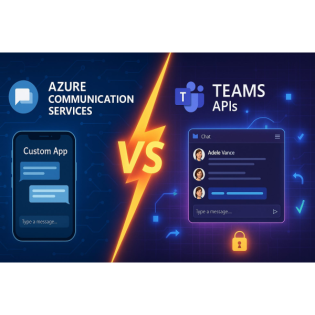
Azure Communication Services or Teams APIs? Choose Wrong, Pay Later
25 Minuten
Podcast
Podcaster

M365 Show brings you expert insights, news, and strategies across Power Platform, Azure, Security, Data, and Collaboration in the Microsoft ecosystem.

Beschreibung
vor 6 Monaten
Think choosing between Azure Communication Services and Teams
APIs for your custom app is just a licensing call? Not quite. One
wrong step could box in your project for years. Today, we're
breaking down how the smallest technical decisions—like presence
integration or chat extensibility—can turn into your biggest
headaches. Are you actually picking the tool that supports the
way your business works?
Identity Showdown: Who Really Owns Your User?
If you’ve ever tried to roll out a simple chat feature and ended
up staring at three different login screens, you’re not
overthinking it. The identity question is where everyone thinks
this journey should be easy—until the user flows start piling up.
Internal staff need single sign-on with all the bells and
whistles, contractors come in as guests with who-knows-what email
provider, and the customers on your website just want to post a
support question without seeing a university thesis on privacy
policy checkboxes. You try to balance these needs, but the second
you grab Azure Communication Services, you’re managing its own
user system. Go with Teams APIs, and suddenly you’re deep in
Azure AD—wrangling consent flows, organizational boundaries, and
more screens than your users ever signed up for.Here’s where it
gets real: let’s say someone on your team builds out a slick
support chat. They want your internal account reps to just show
up—SSO, done. But then marketing asks, “Can guests join too?” Of
course. So now you toss in guest access. What’s next? The board
wants a live chat widget for website visitors, and that’s where
your tidy login story unravels. Azure Communication Services, or
ACS, lets you spin up identities for these total outsiders, which
feels great—until you try to glue their conversations to your
internal directory. Teams APIs, meanwhile, want everyone to pass
through Azure AD, which is fine for staff, but gets awkward for
the folks who exist only as a Gmail address. Pretty soon, you’ve
got two islands of identities. One side speaks ACS tokens and
user IDs, the other expects Azure AD objects. Welcome to your
first “small” architectural monster.This isn’t just a theoretical
hassle. There’s a developer at a midsized company—let’s call her
Nina—who wanted to merge chat for her sales team and her web
support. On day one, it seemed easy. But every time a new guest
signed up, Nina realized they were invisible to the internal SSO
logic. End result? She’s managing two separate user databases,
custom code mapping one to the other, and fielding emails about
why guests can’t “just sign in with Google.” Each feature request
chips away at her sanity: someone wants chat history visible in
Teams, another wants guests to move seamlessly between calls and
messages with the same identity. Her solution? “Let’s write a
bridge service.” Which, by month two, turns into three
microservices, a spreadsheet of mapping rules, and a lot of
Monday mornings spent debugging token expirations.Digging a
little deeper, what actually happens when a user signs in? ACS
uses its own user access tokens, which are simple to hand out for
external people. Still, that means you, the developer, are now
responsible for the lifecycle—provisioning, refreshing, and
revoking tokens without any help from Azure AD’s policies. If
someone leaves your customer list, it’s your job to kick them
out. Teams APIs, in contrast, latch onto Azure AD. Internal users
don’t even think about consent screens; they’re already trusted
by the organization. But as soon as you add a new guest, Azure AD
wants to run the guest invitation process—full-on emails, admin
approval, and a little dance of “accept invitation.” Friendly
secrets and identity federation become the new normal. And the
moment you dare to reach outside your company, you’re back at
square one—building logic to connect the dots between ACS tokens
and Azure AD objects.Security flows? Well, ACS gives you a sharp
knife—full control but all the liability. You can build your own
authentication logic, display the “Sign in with Microsoft”
button, or craft a white-label experience for B2C users. But it’s
on you to enforce MFA, revoke access, and avoid handing out
tokens like candy. Teams APIs, meanwhile, force your hand: you
inherit whatever policies the tenant admins have configured.
Sometimes that keeps you safe; sometimes it boxes you into
corners you didn’t predict. Consent screens pop up for every new
permission—contacts, calendars, chat, you name it—especially when
you try to reach out across organizations or bring in guests from
hundreds of domains.Which approach is “right”? If your app needs
to scale to thousands of anonymous website users or one-off
guests, ACS gives you the steering wheel. You control the access,
the onboarding, and there’s no bureaucracy unless you choose it.
But if your focus is internal—your sales, support, or HR teams
chatting in a closed circle—Teams APIs save you from new user
management headaches and spoon-feed you organizational policies
whether you like them or not. You still need to think about
mapping identities when someone crosses the guest-internal
divide, but at least for staff, you’ll avoid building yet another
homebrew SSO solution.Here’s the rub: today you might need only
basic guest chat, but next quarter, the business could pivot. You
suddenly need reliable cross-org calls, or customers want
integration with their own SSO. Did you just trap yourself in a
system that can’t flex with your changing needs? For external
users at true scale, ACS’s flexibility is hard to beat, but the
cost is more manual identity plumbing and ongoing code
maintenance. Teams APIs, meanwhile, give you the safety net for
internal folks—and occasionally for guests who survive the Azure
AD invite process.Of course, once you’ve picked your identity
strategy, you’re only just getting started. The next round of
tough choices waits in feature sets—where some gaps aren’t
obvious until a user asks for something that sounds simple on
paper.
Calling, Chat, and Presence: Where the Gaps Hide
If you’ve ever assumed chat is just chat and calls are just
calls, you learn pretty fast that users don’t see it that way—not
once they start asking for status lights, rich conversations, or
joining meetings with a click. Out of the box, it’s easy to check
the boxes: both Azure Communication Services and Teams APIs
advertise voice and video calling, messaging, and even simple
notifications. Where it gets interesting is what happens when you
need “one more thing”—like showing which reps are on a call, or
letting someone react with a thumbs-up mid-conversation. The
differences feel small on a sales pitch but can flip your whole
app experience once you start wiring up real features.Start with
presence. The reality is, Teams APIs have this locked down.
Presence updates—the little green, yellow, or red indicators that
light up next to users—come baked into Teams and, by extension,
its APIs. The Graph API makes it simple to reflect who’s
available, in Do Not Disturb, or away, and users report changes
instantly throughout the Teams app and anything riding on the
same directory. ACS, meanwhile, gives you no direct line into
Teams presence. If you’re thinking “I’ll just display who’s
available from the sales team in my customer portal,” ACS won’t
fetch that from Teams out of the box. To get presence with ACS,
you’ll need to roll your own: track when a user is in a call,
simulate away or offline, or, if you’re determined, build a
complicated sync with Azure AD and Teams APIs—none of which ships
with clear documentation or support.Picture this scenario: a
mid-sized company rolls out a brand-new sales demo platform for
their reps. They choose ACS since it lets them embed chat and
call features on a custom site. All good—until leadership wants
to surface real-time status for every rep, so customers don’t
ping someone who’s already in a call. ACS can certainly indicate
when its users are on a call within their own ecosystem—but if
that salesperson is currently stuck in a Teams meeting elsewhere,
ACS won’t know. Suddenly, the simple task of showing “available”
or “busy” means bolting on middleware, tapping Graph presence,
and making sure statuses stay updated when users bounce between
Teams, ACS, and outside apps.When it comes to chat, Teams APIs
and ACS reveal bigger gaps than people expect. Teams APIs mirror
much of what’s built into the Teams client. Conversations can be
threaded; you get reactions, rich cards, replies with context,
and even files linked into a message’s history. If you want your
custom app to look and feel like Teams, or need your users to not
lose any features they use all day, the APIs map pretty much
point for point. ACS, on the other hand, trims things back. Chat
is plain: no threads, basic message reactions, and you’re left to
add features like conversation context and advanced search if
they’re needed. There’s freedom here. ACS won’t force you to use
Teams UI patterns or impose unneeded baggage, but building up
feature parity is a manual job—especially if marketing comes
calling for custom emojis, polls, or persistent chat across
devices.SDKs drive most integration decisions down the road. ACS
takes a broad swing here: it ships with native SDKs for web, iOS,
and Android, enabling mobile-first teams or those eyeing embedded
chat in an existing app to stand something up quickly. The
development experience is fairly unified, and documentation walks
you through common use cases. Teams APIs lean heavily on the
Microsoft Graph and, for more interactive scenarios, the Bot
Framework. Both offer power, but they come with a steeper
learning curve and less hand-holding for those not living inside
Microsoft 365 every day. Developers working outside of .NET
ecosystems sometimes struggle with the pattern differences
between SDKs and REST endpoints, finding themselves knee-deep in
permissions, paging logic, or webhook setup late at night.Now,
here’s a twist that trips up plenty of teams: ACS chat can’t join
an existing Teams meeting. Even though ACS and Teams both live
under the Azure umbrella, they draw a clear line—ACS can talk to
ACS, Teams to Teams, but trying to bridge them, especially
in-call scenarios, isn’t natively supported. Teams APIs aren’t
perfect either; inviting someone from outside your org—think a
customer with no Microsoft account—lands you in tricky territory.
External users need to be added as Azure AD guests, triggering
invitations and onboarding hoops. In fast-paced B2C scenarios,
those steps feel like asking customers to fill out a mortgage
application just to join a call.Performance-wise, both ACS and
Teams APIs show solid latency for text chat and basic calls,
though real-world numbers highlight small differences. In
deployments with 10,000 external messages a month, ACS often
comes out a tiny bit ahead in message delivery speed since it’s
architected for public-facing volume and lighter protocol stacks.
Teams APIs, designed to anchor everything inside Microsoft’s
controlled tenant environment, sometimes inherit more
overhead—especially when compliance and logging are enabled. For
calls, reliability is high on both sides, but troubleshooting ACS
media connects tends to be more hands-on because you’re in
control of server placement, regions, and fallback routes. Teams
APIs handle all of that invisibly, which is simpler but less
customizable.The bottom line: if you just want chat and calls
between known users and want the full bells and whistles of
Teams—threads, reactions, presence—Teams APIs have you covered
with a minimal learning curve for org-first development. If you
need a clean, flexible, and embeddable experience that scales out
to guests and external customers, ACS is the route, but you’ll
spend time layering on features that users might assume are just
there by default. But let's say leadership comes knocking with
ideas that don’t fit any checkbox—combination features,
analytics, or custom user journeys. What happens when neither
Teams APIs nor ACS offer what your business suddenly needs?
That’s when the out-of-the-box advantages start colliding with
reality, and you end up balancing control, user experience, and
how much code you’re willing to write—and maintain.
Compliance, Licensing, and the Cost You Didn’t Budget For
If you’ve ever launched a solution, felt pretty good, and then
had compliance tap you on the shoulder for an audit—or finance
reeling after a surprise licensing bill—you already know what
we’re talking about. The moment your communication features go
live, the spreadsheets and checklists around GDPR, HIPAA, and
where your data actually lives move from someone’s compliance
wishlist to the hot seat in your next all-hands. Suddenly, even
simple chat logs become a conversation about where they’re
stored, who can access them, and whether you’ll need to draft
policies “by end of quarter.” On the licensing side, what starts
out as “just extend chat to the customer portal” can mushroom
into a tangle of E3 vs. E5 seats, monthly message limits, and
per-user surcharges with very little warning.Let’s look at how
these two platforms split the difference. If you go the Teams
APIs route, you inherit all the compliance guardrails baked into
Microsoft 365. For organizations used to paperwork, that’s a huge
relief. You get Microsoft’s data residency options, built-in
encryption, eDiscovery, legal hold, DLP—the whole set. But
there’s a catch: that convenience comes with the licensing model
Microsoft loves. Every user consuming those APIs needs a proper
license—usually E3 or E5. If you want to unlock things like
advanced audit or compliance, prepare to stack on extra SKUs or
navigate “premium” Graph API limits that don’t always show up in
the first demo. Message limits, throttling, and hidden quotas
aren’t a hypothetical; they’re a reality the minute your usage
spikes. For smaller or internal-only projects, this is
manageable. Once external users pile in, costs become less
predictable, and keeping the CFO happy starts to feel like a
second job.Now, ACS takes a different route—and drops a different
set of responsibilities in your lap. At first, the pay-as-you-go
pricing is almost refreshing. You pay for calls, SMS, and
messages as you go, and there’s no tie to Microsoft 365 seats.
For startups scaling B2C chat or adding voice to a support
portal, this model is easier to defend at budget meetings. But
you trade simplicity in one area for complexity in another. ACS
hands you raw building blocks—you decide where messages,
recordings, and metadata are stored, and you sign up for
encrypting those pieces, managing states, implementing data
retention, and, if you’re in a regulated industry, running your
own compliance audits. If your legal team comes knocking and asks
for audit logs or proof of secure deletion, there’s no eDiscovery
button—you’re writing scripts, wiring up SIEM connectors, and
hoping your app’s audit events line up with what your compliance
leads want to see.Here’s a real story: a regional healthcare
group decided to roll out chat for patient-doctor consults. They
used ACS to keep costs down and control the user experience.
Launch was smooth. Two weeks later, they received an urgent audit
request. Where were encrypted chat logs stored? Who had access,
and was anything kept outside of their cloud region? It took a
week of engineering time, combing through diagnostic logs, and a
couple of late nights pushing updates, just to tick off all
requirements set by HIPAA. Where Teams APIs would have plugged
the audit trail directly into Microsoft 365’s compliance center,
ACS left them holding the keys—and the liability.Licensing with
Teams APIs looks simple on the marketing page: “Included with
Microsoft 365.” But reality has caveats. Enterprise features such
as advanced compliance, even things like chat message export, can
require premium add-ons. Some Graph API endpoints enforce request
limits or reserve premium features for customers willing to pay
more—especially at scale. Suddenly, building an app for 100 staff
isn’t just another internal project. It means synchronizing with
whoever manages your corporate licenses, tracking usage, and
finding out mid-quarter that the “free” feature now needs an
add-on license.Regions and data residency become another design
lever. Teams APIs keep all data in the existing tenant, following
Microsoft’s standard commitments for regional availability. This
makes it simple for most compliance teams—data doesn’t need to
move, and there’s a clear story during audits. ACS, on the other
hand, gives you far more freedom. You can spin up instances in
multiple Azure regions, let traffic stay closer to global users,
or meet nuanced residency rules for Europe, Asia, or the US. But
with great power comes extra checklists. You’re now responsible
for confirming where chat logs, call recordings, and user
metadata live. If you misconfigure, your customer’s data might
end up where it shouldn’t.So what do the numbers look like when
you actually compare? For a scenario with 10,000 external chat
messages a month in ACS, you’ll pay a small, predictable monthly
cost—no per-user licensing, and no upfront commitment. For Teams
APIs, licensing 100 users—say, for a support team—all year under
E3/E5 becomes expensive up front, but that predictable spend
satisfies most procurement teams. The kicker comes if your user
base spikes—ACS scales smoothly in cost, but you’ll need to
revisit compliance every step. Teams APIs lock you into licenses,
but compliance is mostly a solved issue as long as you don’t
break boundaries by exporting data elsewhere.Storing chat logs
outside Microsoft 365, especially when using ACS, is the classic
compliance pitfall. Once logs or call data leaves the safety of
Microsoft 365, all bets are off. You become the data processor
and must prove to regulators that data is encrypted, access is
logged, and disposal follows strict retention settings—something
Teams APIs typically keep off your plate.This becomes even
trickier the minute you go after new customers, global markets,
or plan for hypergrowth. If your solution needs to meet foreign
regulatory requirements or work for thousands of users you’ve
never met, are you ready to staff up on compliance, or would you
rather pay more but let Microsoft handle the headaches? ACS
absolutely shines for agile, global rollouts and close cost
control, but you’re taking on the compliance ownership for every
new feature and every region. Teams APIs are the safer route for
regulated industries, but only if you’re comfortable absorbing
licensing charges and living with the walls Microsoft puts around
your data and users.The wildest part is that no two projects hit
these trade-offs the same way. And just as you finish your
compliance spreadsheet, someone will ask to add a feature that
calls for a new region, or a new type of guest access—pushing you
back into planning mode before the ink on your last invoice is
dry.
Hybrid Play: When Mixing ACS and Teams APIs Makes Sense
Most teams look at Azure Communication Services and Teams APIs
and assume it’s a binary choice—you pick one, then live with what
you get. But in the real world, business needs don’t line up so
conveniently. You’ll see edge cases pop up where neither platform
has the feature mix or flexibility you need. For example, maybe
you want to let external customers message your support teams
through a website widget, while ensuring those messages show up
for internal agents inside Teams. Or you might need to invite
guests to a Teams meeting, but those guests can’t (or won’t) go
through Azure AD guest onboarding. Other times, a chatbot needs
to serve both employees signed in with company credentials and
unauthenticated users out on your public portal. These are the
sorts of real-world use cases that push people to consider a
hybrid solution, mixing capabilities from both ACS and Teams
APIs.Now, hybrid setups sound powerful on paper. And they can
be—if you’re up for handling the messiness. Once you blend ACS
and Teams APIs, you’re looking at managing identities, data
routing, compliance, and even the user experience across
platforms. None of that magic is automatic. For instance, take a
company that uses ACS to connect with external customers and
partners—embedding chat and calling on their main support portal.
It works well; customers get fast, direct access without creating
a Microsoft account. But then, the support team asks to see those
same conversations inside Teams, alongside their other chats and
meetings. Suddenly, you’re building a bridge between two identity
systems and two sets of APIs. The chat messages need to be
captured from ACS, transformed to match Teams conversation
structure, and piped into a Teams channel or group chat—while
still letting the external user carry on in the ACS-powered web
client.Getting this smooth is rarely an out-of-the-box affair.
You end up maintaining a middleware layer, usually with some
custom microservices responsible for translating between ACS and
Teams APIs. Identity is often the earliest sticking point. You
need to map ACS users (often identified by simple ACS tokens,
which could be anonymous or loosely tied to a customer record) to
Azure AD users or guests for Teams. If you want presence
syncing—for example, letting a customer know if an agent is
available before starting a call—you have to pull presence data
from Teams using Graph and update status in ACS, since ACS
doesn’t know about Teams presence natively. This “identity
bridge” quickly becomes the linchpin; every message, call, or
presence update passes through it, so it must be reliable,
secure, and up to date with changing policies on either side.It
isn’t just identity that requires bridging. Message routing
brings a new set of challenges. ACS chat content uses its own
format and schema, while Teams chat is tightly integrated into
Microsoft 365’s compliance, threading, reactions, and message
history. You need to map each ACS message onto an equivalent
Teams message object, sometimes pairing down features (say,
stripping custom media or metadata that Teams won’t interpret) or
simulating threads if ACS didn’t start with one. Attachments can
be particularly tricky—Teams expects files to live inside
OneDrive or SharePoint, while ACS typically references blobs or
external URLs. If you want to keep everything auditable, your
middleware also has to apply encryption, retention policies, and
logging so you don’t create a compliance black hole between
systems.This pattern isn’t unique. Experts in the Microsoft
ecosystem—especially MVPs who’ve seen multiple organizations
wrestle with these boundaries—often recommend a hybrid setup for
companies in regulated industries or for fast-scaling startups.
It’s not unusual to see ACS take the lead for B2C scenarios,
handling direct customer contact where minimal onboarding and
friction-free access matter most. Meanwhile, Teams APIs run the
show for B2E—business-to-employee—keeping internal communication
secure, auditable, and in line with company policies. What ties
it together is the glue: connectors, message brokers, or
serverless orchestrators that handle translation, compliance
checks, and sometimes even analytics to ensure everything
completes the loop.If you’re a whiteboard person, now’s the time
to picture a hybrid architecture: on one side, ACS handles your
public and guest traffic, offering chat, calling, and SMS to the
outside world. On the other side, Teams APIs talk directly to
staff, routing conversations into a Teams channel or bot. In the
center is your middleware layer: mapping IDs, proxying messages,
synchronizing status, and handling compliance events. When
something goes wrong—a failed message, a new compliance
requirement, or just a Teams API update—you’re the one
responsible for maintaining the bridge.The catch is, hybrid
architecture adds ongoing work. You’re not only wiring up the
initial integration but owning every update, patch, and little
operational quirk that pops up as either platform evolves.
Syncing presence is never truly instant; reconciling chat history
across APIs is a chore; and anytime Teams or ACS changes their
API contracts, you’re first in line to triage support tickets.
Documentation helps, but there’s no official “hybrid mode” button
you can click—most solutions look more like homegrown
mini-platforms than plug-and-play boxes.Still, the payoff is hard
to ignore. When you need the freedom for rapid external
communication and the assurance of internal compliance and audit,
mixing ACS and Teams APIs unlocks scenarios neither side can
tackle on its own. Just be sure you’ve got buy-in for the extra
engineering overhead and a plan to keep your integration points
running clean as both clouds roll forward. Watching usage
patterns and feedback for cracks early on pays off—a lot more
than playing catch-up once both your customers and compliance
team start expecting everything to “just work” across platforms.
So, as you start building out that next-gen support experience or
global B2B portal, know that a hybrid setup can keep you
flexible—if you’re ready to stay hands-on and treat your middle
layer as a full citizen in your architecture. That’s usually
where the real opportunities (and headaches) happen.
Conclusion
It’s never as simple as picking the tool with the most features
on the website. You’re always trading off between control,
compliance, and how well you can grow with whatever curveball
your business throws at you next. That’s why jumping in on
licensing or waving off compliance details early usually
backfires. The best setups come from matching your architecture
to your use case—internal, external, or a blend—and revisiting
your choices as your user base and requirements shift. So, if
you’re wrestling with these decisions right now, you’re
definitely not alone. Let us know what you’re building and where
you’re hitting roadblocks.
Get full access to M365 Show - Microsoft 365 Digital Workplace
Daily at m365.show/subscribe
Weitere Episoden

22 Minuten
vor 6 Monaten

22 Minuten
vor 6 Monaten

21 Minuten
vor 6 Monaten

22 Minuten
vor 6 Monaten

22 Minuten
vor 6 Monaten
In Podcasts werben


Kommentare (0)