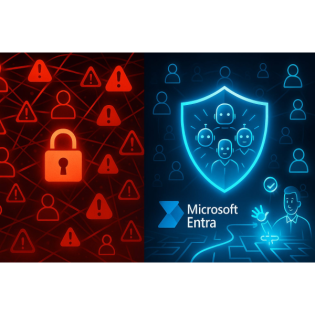
Workload Identities: The Only Fix for Non-Human Risk?
23 Minuten
Podcast
Podcaster

M365 Show brings you expert insights, news, and strategies across Power Platform, Azure, Security, Data, and Collaboration in the Microsoft ecosystem.

Beschreibung
vor 6 Monaten
Here’s a fact most admins won’t say out loud: service accounts
are often your weakest security link and you can’t just ‘rotate
the password’ out of this problem. Today, we compare traditional
strategies with Microsoft Entra ID Workload Identities—the only
approach built from the ground up for controlling non-human
access. If you’re tired of patchwork solutions and want to see
what a real upgrade looks like, you’re in the right place.
The Mess We Inherited: Why Service Accounts Break Zero Trust
If you’ve ever wondered why a supposedly “locked down”
environment still keeps you up at night, it almost always comes
back to the service accounts that nobody wants to talk about.
These aren’t just one or two special logins—almost every
organization has a small army of them. Think about the classic
pain points: those password spreadsheets tucked away in someone’s
OneDrive, dusty little scripts running in the background of
legacy apps, or the mythical “break-glass” admin account that
only gets touched when things go sideways—if anyone remembers the
password at all. The reality is, even the environments with
strict MFA and lockdown everywhere else always seem to have a
side door for these non-human users.Let’s be honest, the first
time you try to audit privileged access in a large environment,
you end up swimming upstream against a tide of forgotten service
accounts. Admins mean well—they really do. Maybe IT inherited a
few hundred of these accounts with vague names like “backup_job1”
or “svc-legacyapp.” Maybe nobody’s quite sure what the account
does, so it never gets disabled, just in case. You might go
through the motions of password rotation, but there’s no magic
wand to guarantee risk actually goes away. The uncomfortable
truth here is that service accounts get a permanent hall pass.
They’re almost never enrolled in MFA, and trying to force a
conditional access policy usually brings down a dozen critical
automations no one wants to touch. If security best practices are
a checklist, these accounts are the box you never really get to
tick.That’s where attackers start paying attention. In most of
the Red Team reports I’ve seen, the easiest path to domain admin
isn’t brute-forcing a user—it’s finding a service account that’s
been holding the same static password for three years. Just have
a look at the aftermath of incidents like the SolarWinds breach
or even some of the better-documented ransomware attacks; more
often than not, privileged service accounts are the keys that
make lateral movement effortless. Why bother with phishing
high-profile users when you can lift a plaintext credential from
a config file or snag it from an old script nobody maintains?
Service accounts are like the spare key under the doormat:
attackers know exactly where to look, and they know the odds are
good that nobody’s been checking there.The governance mess runs
deeper. Even in organizations that pride themselves on “zero
trust,” nothing about managing service accounts actually fits the
model. Zero trust is supposed to mean every request gets checked,
verified, and tracked. Service accounts have a different set of
rules: they’re rarely monitored, operate with broad and sometimes
unlimited permissions, and weave through on-prem, cloud, and
every corner of your environment. There’s no consistent
visibility, and not much appetite to clean things up since doing
so risks breaking critical processes. It’s no surprise that
identity lifecycle management falls off a cliff. A user leaves
your company, HR can close their account in minutes. A legacy
integration gets retired or replaced? Good luck tracking the
ghost accounts left behind, especially when documentation is
light.It’s a bit like installing top-of-the-line locks on your
front door but leaving the back window wide open. The front might
be bulletproof, but your weakest point is still inviting
trouble—and you know the attackers will find it. That’s not just
theory. Penetration tests and post-breach forensics keep showing
the same lesson: service accounts get overlooked, they keep the
same passwords, and the blast radius when they’re compromised is
huge. What’s worse is the lack of visibility. You might have SIEM
tooling for user actions, but try getting a clean log of what
“svc-backup-02” did last Thursday. If you find anything at all,
it probably raises more questions than it answers.Let’s talk
about static credentials for a second. Passwords on service
accounts don’t rotate automatically. They don’t have natural
lifecycle events. If a business process changes, those accounts
hang around “just in case” and slowly become orphaned. Someone
might script a password change, but the number of scripts that
just “keep working” with an old password is higher than anyone
wants to admit. These ghost accounts start to pile up, each one a
potential entry point for someone with the patience to look. Over
time, those exceptions turn into permanent risks, especially with
non-human users that touch many resources across cloud and
on-prem.Of course, most IT teams want to move to zero trust for
everything, but this is where reality checks in. Applying
conditional access to a script or legacy automation usually means
instant outages. MFA on a non-human user? If only. Usually, you
end up handing over broad privileges to make sure the process
doesn’t break, then praying nothing bad happens. These accounts
force security teams into making exceptions that would never fly
for real users—so every control becomes watered down before it
ever gets to production.So here’s the punchline: zero trust isn’t
failing because you have bad intentions or poor tools. It’s that
the traditional way we treat service accounts is simply
incompatible with the whole idea of zero trust. No matter how
many layers you build for your users, if your non-human access
stays in the shadows, the gap never closes. You’re always playing
catch-up, just one missed account away from your next
incident.Managed identities were supposed to patch this all up,
with the promise of secret-free deployments and tight cloud
integrations. But have they really fixed the problem, or just
painted over the cracks?
Managed Identities: Better, But Still a Compromise
At first glance, managed identities look like they finally solve
the service account headache. Developers get to skip secret
storage, credentials never land in config files, and everything
just works inside Azure. Grant the right permissions, and your
app or automation picks up what it needs, no password vaults, no
sticky notes, no calling someone in the middle of the night to
find out where a credential is stored. There’s a reason cloud
teams reach for managed identities as soon as they spin up a new
resource—it’s the easy button that promises fewer secrets to
rotate and less to worry about when securing cloud apps. You can
even see the relief on a developer’s face when they realize they
don’t have to hassle with key vaults or environment variables
full of sensitive strings.But there’s a catch hiding in the fine
print. Managed identities were designed with a strong Azure
focus, and this shows in how—and where—they’re used. They work
beautifully when you’re dealing with Azure Functions, Virtual
Machines, Logic Apps, or anything that fits neatly into
Microsoft’s cloud patterns. The trouble shows up the minute your
environment colors outside those lines. As soon as you talk about
integrating with on-premises systems, connecting to a third-party
SaaS, or even orchestrating across multiple clouds, managed
identities start to hit their limits. For a lot of organizations,
those edge cases aren’t edge cases at all—they’re the reality
that makes things work.Picture the sprawl of your typical hybrid
setup: part of your app stack lives in Azure, but there are
legacy databases on-prem, file shares in odd places, and some
parts tucked into AWS or Google Cloud. Managed identities, as
they stand, don’t cover all these scenarios. So, while you get
secretless authentication for Azure resources, those same
workloads still need old-school credentials to reach most other
things. The promise of “no secrets, no manual cleanup, no
headaches” falls apart at the boundaries. It’s like paving a
beautiful road that ends at your property line—the traffic keeps
going, but the asphalt stops.And for all their strengths, managed
identities don’t offer fine-grained lifecycle management. You can
grant or revoke access, but figuring out which applications are
actually using which identities rarely feels straightforward.
Tracking usage isn’t built in, auditing changes is basic at best,
and if something goes stale, you might not notice until it causes
an outage or gets flagged during an audit. When it’s time to
clean things up—say you retire a workload or move to a different
integration—you’re back to spreadsheets and manual reviews,
double-checking which managed identities can safely be removed
and which are still active somewhere else. There isn’t an easy
way to link a managed identity to a business owner or hold
someone accountable for its existence, so orphaned identities
accumulate just like the service accounts they were meant to
replace.Conditional access introduces another wrinkle. Enforcing
strong policy controls on a managed identity isn’t the same as
with user identities. The guardrails for least privilege, step-up
authentication, or context-aware access don’t really translate
over. Most managed identities are all-or-nothing: you set broad
permissions because you don’t want to break things, and then you
leave them alone. If you want to see who’s using a managed
identity, why, and from where, the logs are thin. There’s no
entitlement management or deep integration with high-level
governance checks. Auditors will still ask—who approved this
access, who reviews it, can you prove it’s been shut off when no
longer needed? Most organizations are left cobbling together
answers using Azure Activity Logs, custom scripts, and a bit of
hoping for the best.This isn’t just theory. Cloud architects
ahead of the curve will tell you they still supplement managed
identities with additional controls. Some teams use PowerShell
scripts to report on activity; others maintain their own mapping
spreadsheets, trying to keep track of which identities touch
which resources. A few have even built in-house governance bots
that try to enforce least privilege through policy reviews,
sending Slack or Teams notifications when something looks odd.
Everyone agrees managed identities are miles ahead of static
service accounts for Azure-native workloads, but nobody’s
pretending they represent full governance. They’re a major step
forward—risk is lower, secrets are fewer—but those persistent
blind spots remain.The net result is clear: managed identities
help, but they don’t stamp out the underlying risk. They clean
things up for the Azure slice of your world, then hand the
problem back to you once you step outside Microsoft’s house.
Identity lifecycle, deep auditing, and true zero trust
enforcement for non-human access? Still up to you, still
disconnected, still riddled with exceptions every time reality
doesn’t fit the Azure story. That’s why the next evolution is
getting so much interest. Imagine having the same level of
control, oversight, and policy for your apps, scripts, and bots
as you do for users—without the tradeoffs, and without the usual
governance compromises. That’s where Workload Identities start to
change the conversation.
Workload Identities: Non-Human Access Finally Grows Up
If you’ve ever stared at a service account and thought, “Why does
this thing still exist?” then you’ll get why Microsoft Entra ID
Workload Identities feel like a genuine departure from the usual
half-measures. Up to now, most of us just rolled with whatever
“worked” for getting a job done—plug a credential in, grant
enough permissions to keep the errors away, and hope nobody ever
asks for a justification when the security report comes due.
That’s not a strategy; it’s more of a survival tactic. But,
truthfully, almost nobody’s experienced what a real non-human
identity platform looks like until now, because most products in
this area were never really built for the weird, sprawling mess
of automation, integration, and custom line-of-business apps that
actually run companies. They were patched together, always with
the idea that “apps aren’t people, so who cares?” But every
automation and every connector glued to a Power Platform app
actually needs governance—otherwise, you’ve just recreated the
old service account mess with new tools.Microsoft Entra ID
Workload Identities were designed with one specific idea: treat
any non-human access—whether it’s a bot, script, connector, or
API call—as something that deserves the full security treatment.
It doesn’t matter if this “user” is a scheduled PowerShell script
updating SharePoint or a third-party SaaS integration glued to
your Dynamics 365. You assign it an explicit identity, tie it to
a specific resource or business process, and suddenly, you have a
name and face for something that used to lurk in the shadows.
This feels simple in concept, but it rewrites the rules for how
you apply governance. Instead of one-off exceptions, you treat
every bit of automation as a first-class citizen in your
directory, no more “break-glass” accounts quietly running with
domain admin behind the scenes. It’s the difference between
guessing who left the back door open, and finally having a
working camera and a log of every movement.For years, non-human
identities have been an afterthought. They had no real lifecycle,
no onboarding or offboarding, and barely any policy enforcement
beyond the initial creation. Someone in IT would spin up a
credential, then everyone silently agreed not to touch it—because
nobody wanted to be the one who broke the mission-critical sync
job. Compliance was a headache, documentation was always out of
date, and audits turned into scavenger hunts. If someone wanted
to rotate a password, half the team would show up just to roll
back if something failed. It was almost designed to fail silently
and slowly over time.Workload Identities pull together the pieces
that were always missing. Now, if you want to apply conditional
access to a bot or a script, you can. If you want to enforce
risk-based policies for a connector that moves data between
systems, there’s nothing stopping you. Identity protection,
just-in-time access, and audit trails are no longer human-only
features—every identity in the environment gets the same
guardrails. You have one place to see which automations are live,
who owns them, what permissions they’ve got, and when they last
authenticated. Details that used to require spreading out ten
different logs or guessing based on IP addresses are suddenly
transparent.Automatic credential rotation on a workload identity
means you’re not left wondering if someone remembered to update
the secret in five configs and six key vaults. It rotates, the
workload picks up the new credential, and nobody gets paged
because the integration broke. Permissions can be scoped as
tightly or as broadly as the process requires, so you’re not
forced into an all-or-nothing approach just because the identity
isn’t tied to a person. When the business process changes—maybe
you move your HR integration to a new vendor—it’s not a scramble.
Decommissioning a workload identity means linked entitlements,
sign-in records, and associated secrets all get closed out with
it. No more orphans lingering for years, quietly leaching risk
into your environment.Let’s talk specifics for a second. Say you
have a Power Platform connector that pushes data into Dataverse
every night. Old-school approach: static service account, generic
permissions, password rotated on a schedule nobody believes in.
Now, assign a workload identity instead—the connector gets a
unique identity in Entra ID, limited to just what it needs,
monitored like any employee account. If the connector misbehaves,
shows unusual sign-in activity, or exceeds its entitlements,
alerts fire just like for any risky sign-in by a human user. Same
story for custom-built apps running integrations with SaaS tools.
The days of hiding behind generic credentials and guessing about
usage are over.The best part is what this means for governance
overall. Suddenly, conditional access policies don’t require
weird exceptions for bots or scripts. Access reviews apply
automatically, so you’ve got a cadence for recertifying every
workload’s permissions. The same entitlement management and
compliance guardrails you expect for users flow over to the apps
and automations that actually run the company. And there are no
sacred cows—machines get the same treatment as people, right down
to last login, owner assignment, and lifecycle trigger.Microsoft
highlights workload identities as a fundamental part of zero
trust in their architecture papers. They’re not alone. Even
industry analysts and security researchers have pointed out that
unless non-human users come under the same governance layer as
employees, you’ll always have a blind spot. Bringing workload
identities under the zero trust umbrella isn’t a nice-to-have; it
closes what’s probably the last big identity gap standing between
you and true “every-identity” security. Now, there’s zero
ambiguity about who—or what—has access, with records for every
interaction and lifecycle event in your environment.So, while
managed identities cleaned up a slice of the problem, workload
identities actually bring it all together—the apps, the scripts,
the connectors, each finally managed with the same controls as
people. The last loophole is closed, and non-human access is one
more thing you can answer for during an audit. But that brings up
a practical question: what does it actually look like when
auditors are at your door, and how does managing compliance—or
even just daily operations—change once you’ve got every identity,
human or not, in the fold?
The Practical Payoff: Compliance, Governance, and Zero Trust
Realized
If you’ve ever sat across from an auditor while they flip through
your access review process, you know the look. “Show us who owns
these accounts. Where’s the record of credential changes? Who
approved access for your bots and integrations?” It’s never the
human accounts that tie you in knots—it’s always the shadowy
service accounts, the scripts, the custom connectors nobody wants
to admit they inherited. Most teams quietly dread this part of
the audit because the usual playbook is part wishful thinking and
part detective work. Even when you have a spreadsheet, odds are
it’s missing context, out of date, or just cryptic enough that
drilling through the trail takes all day. Picture the classic
scenario: you pull up Active Directory or Azure AD and dump out a
list of non-human users for review. A chunk of them are labeled
“do_not_delete” or “svc-old_crm.” Nobody’s quite sure who touches
these, what systems still depend on them, or who’s responsible
for rotating their passwords. The apps that use these accounts
are sometimes retired, repurposed, or replaced, but the
credentials stay behind—insurance for a rainy day that never
comes. During the audit, someone inevitably spends an afternoon
guessing which accounts are actually still in use, with the real
answer buried somewhere in a config file or maybe just locked
inside someone’s head. Service accounts built on top of static
credentials always underperform in these compliance reviews.
Reviews are inconsistent, rotation is hit or miss, and
accountability is shaky at best. Workload identities clean up the
fog. Instead of vague ownership or accounts with ambiguous
purposes, you see every non-human user—whether it’s a Power
Platform connector, automation script, or SaaS bridge—with a
clearly defined owner, assignment, and lifecycle policy. There’s
no hunting for the origin of an account or why it exists. Each
workload identity gets a direct link to a business process,
system, or application, with an audit trail that shows when it
was created, who requested it, and every change or credential
rotation along the way. No more standing in front of auditors
trying to justify a “just in case” account with broad privileges.
If the workflow or connector it serves goes away, the workload
identity is flagged for decommission, and cleanup happens as part
of lifecycle management. Now, you can point to a system of record
and tie every non-human user back to a business need—and sunset
them cleanly when they’re no longer required.With workload
identities in the mix, conditional access isn’t an afterthought.
You can enforce risk-based authentication policies on a Power
Platform integration just as easily as you do with a human user’s
login. If an app or connector starts behaving out of line—maybe a
script suddenly attempts off-hours access or reaches for data
outside its scope—conditional access can step in to prompt for an
extra check or lock down the account while you review. These
workloads become visible in the same dashboards as your user
accounts, so no more double standards and no more flying blind.
Entitlement management, one of those features that often gets
bolted on late, becomes part of the routine. You can establish
review cycles, force recertification, and even automate access
removal when a system integration is decommissioned.Compliance
transforms from a scramble into a checkbox exercise. Instead of
wrangling screenshots and manually validating each bot and app
account, you present a list to the auditors, complete with
lifecycle logs from assignment to last use. They can trace every
change, see when credentials rotated, and check the access
reviews in seconds. It’s not that risks have magically
disappeared; it’s that you’ve got transparency, repeatable
processes, and clear lines of ownership. For most auditors,
that’s more than enough to pass with confidence rather than
caveats.A real example makes this all a bit clearer. Take a Power
Platform workflow that moves sensitive data from Dynamics 365 to
a third-party SaaS. In the old world, maybe that’s handled by a
shared generic account used in multiple places, with everyone
crossing their fingers that nobody ever disables it. With
workload identities, the workflow’s connector has its own
specific, policy-governed identity—tied to that single
integration and monitored independently. If you add a second SaaS
process, it gets its own governed identity, never piggybacking
off the first. Ownership is clear, permissions are scoped, and
activity logs are built-in—not something you hope to recreate
later if someone asks. Early adopters have been honest—audits go
faster. When every bot and custom app sits under the same
umbrella as your human users, there are fewer fire drills and
fewer “please explain” escalations. One IT lead at a financial
services company told me, “We cut our audit prep time in half and
finally stopped stumbling over mystery service accounts every
quarter.” Fewer orphaned accounts, fewer surprises, and
measurable drops in incident volume. The teams I’ve spoken with
also mention how much less time they spend tracking down missing
documentation or piecing together why an account was created in
the first place.So, workload identities don’t just patch security
holes—they give you a governance model that scales and keeps
compliance sustainable, even as your stack grows more complex.
You can finally take non-human access reviews off the list of
things that always blow up at audit time. That, alone, is a shift
in how most shops approach identity management for automations
and integrations. But then comes the big question—is this truly
the only fix for non-human risk, or just the best thing we’ve got
for now? It’s worth looking at where things go from here.
Conclusion
If you’ve watched your risk register grow with every orphaned
service account, workload identities are probably overdue. It’s
not just about plugging a gap—bringing non-human access into your
security model forces the conversation around zero trust to
actually mean something. The reality is, security has ignored
bots and connectors for long enough. If you want to show
auditors, leadership, and your own team that every single
identity—script, connector, or app—is tracked and governed, this
isn’t optional anymore. Take a look at your environment with
fresh eyes and start mapping out where workload identities fit.
You might be surprised what’s hiding.
Get full access to M365 Show - Microsoft 365 Digital Workplace
Daily at m365.show/subscribe
Weitere Episoden

22 Minuten
vor 6 Monaten

22 Minuten
vor 6 Monaten

21 Minuten
vor 6 Monaten

22 Minuten
vor 6 Monaten

22 Minuten
vor 6 Monaten
In Podcasts werben


Kommentare (0)