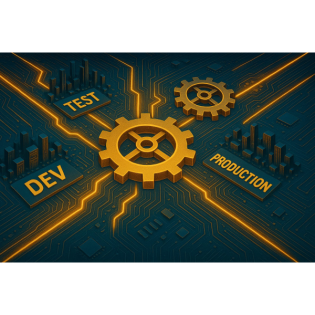
Enterprise architecture for Power Platform management
22 Minuten
Podcast
Podcaster

M365 Show brings you expert insights, news, and strategies across Power Platform, Azure, Security, Data, and Collaboration in the Microsoft ecosystem.

Beschreibung
vor 6 Monaten
You’ve set up your Power Platform environments and lined up your
ALM pipelines, but does it ever feel like making a change in one
place breaks something else? Today, I'm unpacking the invisible
feedback loops between multi-environment architecture and ALM
strategies that can either make your deployment unstoppable—or
quietly set up a domino effect of headaches. Stick around to see
how rethinking one seemingly minor governance detail could save
hours of troubleshooting down the line.
The Domino Effect of Environment Design
If you've ever thought, "We're just tweaking a connector
setting—how much trouble could that cause?" you might want to
clear your calendar. One of the most common headaches I see
starts with a single, well-meaning change inside a Power Platform
environment. Maybe it's a security policy update. Maybe it's
tweaking the configuration of a connector you think barely anyone
uses outside production. But the fallout? That can burn through
an entire week in support tickets and “quick” Teams calls, as
every dependency downstream suddenly decides to protest.Let’s be
honest: most teams sketch out their environment map with three
circles—dev, test, prod—drop them in a slide, and declare
victory. It looks tidy, the arrows point in all the right
directions, and on paper, everyone agrees this is
“enterprise-ready.” But ask anyone who’s been running Power
Platform at scale, and they’ll tell you those neat boxes hide a
mess of hidden wires running underneath. Every environment isn’t
just a playground—it’s wired up with pipelines, connectors, and
permissions that crisscross in ways nobody really documents. Once
you start layering in DLP policies and network restrictions, a
small tweak in dev or test can echo across the whole system in
ways that are hard to anticipate.And that’s just the start. You’d
think deploying a new security policy—maybe locking down a
connector to keep company data tight—should be a neutral move if
it happens outside production. But you roll this out in test or
dev, and suddenly the dev team’s apps won’t launch, automations
stall, and those “isolated” changes block solution validation in
your deployment pipeline. Picture this: a team disables the HTTP
connector in non-prod, aiming to avoid unapproved callouts.
Sensible, right? But suddenly, the ALM pipeline throws
errors—because it actually needs that connector to validate the
solution package before anything moves forward. So, nothing
passes validation, work gets stuck, and everyone’s left searching
through logs looking for a bug that isn’t in the codebase at
all.Every one of these minor adjustments is like tipping the
first in a row of dominoes lined up through your ALM, governance,
and dataflows. What looked like a security best practice on a
Wednesday turns into a series of escalations by Friday, because
environments in Power Platform aren’t really “standalone.”
Microsoft’s own enterprise deployment guides back this up: the
majority of ALM pain starts, not in the CI/CD tooling, but with
dependencies or settings that weren’t accounted for at the
environment level. In other words, the platform amplifies both
the best and worst of your design—if you build in tight feedback
loops, issues show up earlier; if you assume everything moves in
a straight line, surprises are sure to follow.To help visualize
just how tangled this can get, think about your environments like
a highway with sequential gates. Every time someone adds a
policy, blocks a connector, or changes a user role, it’s like
dropping a new gate across one exit or on-ramp. It only takes one
gate being out of sync to turn a smooth-flowing highway into
bumper-to-bumper gridlock—meanwhile, that gridlock isn’t always
where you expect. That’s the trick. The pain often hits somewhere
downstream, where testers and analysts find out they can’t finish
their checks, and business users realize automations that “worked
last week” no longer even fire.And if you’re reading this
thinking, “But we test every policy before rollout,” that’s
great—but the complexity comes from combinations, not just
individual settings. It’s the subtle dependency where a
connector, seemingly unused, exists solely for solution packaging
or admin validation during deployment. Or an environment variable
that only has meaning in dev, but whose absence later means a
pipeline step can’t even start. None of this is mapped on your
standard environment diagram, but it’s painfully real for anyone
chasing a root cause after a Friday outage.Here’s where it gets
more interesting: most feedback loops in Power Platform
environments are completely invisible until they break. Teams
spend ages troubleshooting at the ALM layer—writing scripts,
rebuilding pipelines—while the real problem is a permission or
connector that shifted in a non-prod sandbox three weeks back.
Microsoft’s deployment patterns now advise explicitly mapping
these cross-environment dependencies, but let’s be honest—most
teams only do this after something explodes.So, ask yourself:
which feedback loops in your environment setup could quietly
sabotage the next deployment? Where are the settings or policies
that, if nudged out of line, would jam the whole flow? This is
why thinking of your environment as just a “box” misses the
point. In reality, it’s a lever—when designed with the right
feedback, it multiplies productivity and reduces risk. Ignore the
hidden loops, and you’ll end up playing whack-a-mole long after
go-live.Of course, the real question isn’t just about these boxes
on their own—it's how you move changes between them that often
turns a contained hiccup into an enterprise-level incident. And
that’s where your ALM process either saves the day or quietly
sets you up for the next domino to tip.
When ALM Pipelines Collide with Real-World Complexity
If you’ve ever set up an ALM pipeline and thought, “Now we’ve got
repeatability and less risk,” you’re not alone. That’s the
promise after all: set up your CI/CD, build your environment
chain, and let the automated releases take over. But there’s
always something lurking just beneath that glossy surface. The
script says ALM brings control and consistency, but the unwritten
reality is we deal with edge cases almost every week. No matter
how clean your pipelines look in Azure DevOps or GitHub Actions,
the reality is that it only takes one small drift between
environments to flip that switch from “automated deployment” to
“manual triage.” Sound familiar? Let’s say you’ve mapped out your
Dev, Test, and Prod environments, with automation pushing new
changes right down the line. Maybe your team did a
walkthrough—double-checked that all environment variables are
there, and connectors are set up the same way in every place. But
here’s where it gets unpredictable. A new security control gets
rolled out in production, blocking an HTTP connector nobody even
noticed in the dev workflows. The pipeline, blissfully ignorant,
continues with its next release, passes all tests in dev and
staging … and then falls over in production, leaving you scanning
error logs and tracking failed flows in the middle of a release
window.ALM tooling—whether you’re running classic solutions or
relying on Power Platform pipelines—expects your environments to
be clones of each other. But they never really are, right? Over
time, even the most disciplined teams run into drift. Maybe dev
gets a new preview connector because someone is testing out a
feature, or a licensing quirk only shows up in prod because
that’s where the special capacity plan lives. Sometimes, test is
lagging behind because it takes weeks to convince someone in
procurement to buy just one extra add-on. Suddenly, your nice,
clean deployment script is trying to use a connector in test that
doesn’t even exist in prod, or it expects a service principal to
have permissions only assigned in dev. Before you know it, every
deployment feels like a new mystery to solve.The real headache is
that these issues never show up in your pipeline logs until the
switch happens. Fixing one blocker just exposes the next. It’s a
game of ALM whack-a-mole. You solve for a missing permission in
test, run your pipeline again, and now a flow authentication
fails because a connector is missing in prod. By the time you
trace everything back, you’ve spent days bringing together
DevOps, security, and support—just to unravel what looked like a
one-off error.And this technical friction isn’t just about
efficiency. Gartner’s research makes it clear that the root of
most Power Platform deployment failures inside large
organizations is inconsistency between environments. At first,
that might sound like a process issue—just get your environments
in sync, right? But in real life, “in sync” is a moving target.
People come and go, connectors move in and out of preview, and
environments pick up quirks and exceptions nobody documents. It’s
not just about connectors or security roles; even licensing and
provisioning methods slip in unnoticed. The craziest example I’ve
heard came from a retail company running international stores.
They spent nearly a month chasing down a release bug nobody could
explain—test and staging worked fine, but in prod, certain
automated emails just wouldn’t send. After tearing apart every
layer, it turned out the problem was a single environment
variable that one developer had used in dev, but never set up
anywhere else. The pipeline pulled that missing reference over
and over again, but only prod’s unique configuration made it blow
up publicly. That one forgotten variable cost weeks of releases
and a mountain of support escalations.It’s easy to look at those
incidents and think, “Well, we’ll catch these next time,” but the
reality is you never know which edge case is going to break
deployment next. And as these invisible conflicts pile up,
something bigger happens: teams start quietly losing confidence
in the whole pipeline process. It’s not just a failed deployment
you’re dealing with now—it’s issues getting flagged to
stakeholders, business teams second-guessing every new release,
and people bypassing the pipeline altogether just to get things
moving again. That’s when “automation” goes from a productivity
booster to something teams try to work around.So the natural
question is: how can you actually spot when your ALM isn’t doing
its job—or worse, has started working against you? You can keep
monitoring logs and putting out fires, but that only treats the
symptoms. Real ALM resilience comes from finding and mapping
those edge cases before they seep into production. And it starts
with understanding how your environment design, deployment
routines, and governance intersect in ways that never show up in
the official architecture diagram.Because in Power Platform, the
hidden cost of these mismatches isn’t just technical—it’s trust.
Teams start to believe they can’t rely on what’s supposed to make
life easier, and that ripple carries all the way up to management
and business leads. And once trust goes, process overhaul is
never far behind. As tempting as it is to focus on technical
details, there’s a bigger feedback loop at work—one that exists
between your deployment routines, your governance policies, and
the day-to-day productivity of your teams. Let’s get into the
ways those unseen loops can quietly turn governance from a
strategic advantage into a roadblock for everyone building on the
platform.
Governance: The Unseen Bottleneck (or Accelerator)
If you’ve ever rolled out a shiny new security policy, only to
get a flood of complaints the next morning, you know exactly how
governance can trip up even the best intentions. Suddenly, you’re
stuck in the middle—pushing for tighter controls to protect
company data, but getting calls from the development team about
broken automations and lost access. It’s a familiar dance.
Everyone agrees governance is critical, but nobody loves when it
becomes the villain.The thing is, every policy you introduce is
supposed to raise the bar: better protection, better oversight,
fewer gaps for data to leak through. Yet in practice, every new
rule is another turn of the screw, and it’s hard to know when
you’re creating safety or just locking everyone out. There’s this
unwritten trade-off happening. Tighten things up, and you might
think you’re adding order. But every additional DLP rule or
permission tweak runs the risk of stopping someone just trying to
get their job done. The outcome? Developers lose sync with their
environments. Citizen developers hit walls at the worst times.
You see it every day with classic DLP policy moves—set up a quick
rule to prevent sharing between environments, and for a few days
everything seems fine. Then a flow that worked perfectly
yesterday suddenly fails, and you start seeing tickets from
business users who can’t send approvals or connect their
apps.What’s tricky is how indirect the fallout is. You set the
DLP policy in one place, and don’t notice the effect until much
later, often in a part of the business you didn’t expect. There’s
that classic moment where a business user, happy with their
automation running smoothly in test, moves to production only to
find permissions missing or connectors blocked. And that’s when
you get the support desk pings and emails asking, “Was there a
change made last night?”—but by then, the root cause is buried
under layers of policies most folks never see.Microsoft’s Power
Platform adoption studies confirm what most admins have
experienced for years: bad governance at the wrong point solves
nothing. What actually happens is the number of support tickets
climbs, while business users quietly look for workarounds to get
through the day. The right policy at the wrong layer has more
impact, and not in a good way. It’s not just about more control;
it’s also about where and when you apply that control. Place a
major DLP policy at the wrong environment, and you’ll instantly
see what happens—automations error out, integrations fail, and
developers get locked out without even knowing why.There are
always stories that stick. I know an IT team who, in the name of
increasing security, enabled conditional access throughout their
Power Platform environments. On paper, it checked every
compliance box. In reality, it meant the development team
couldn’t even open the Power Apps editor without jumping through
six layers of identity prompts—at best. At worst, it just
flat-out blocked access, so the apps nobody could edit started
aging in place, with nobody realizing until after something
broke. Suddenly it’s not just about locking down data; it’s about
users being unable to even maintain or fix the solutions keeping
the business running.When you step back, the whole thing is
eerily similar to city traffic management. Too many red lights
crammed into busy intersections and it’s gridlock—nobody moves,
tempers flare, and productivity tanks. Open all the lights and
let traffic rip without rules, and you get chaos. People want
governance to be invisible when it works, but as soon as it gets
out of sync with real-world needs, everything stops. And unlike
traffic, you can’t always see the jam building until users start
laying on the horn.The real signals that your governance is off
usually hide in the patterns, not the big failures. Look for
clusters of similar support tickets—integration failures, sudden
connector permissions issues, apps “mysteriously” freezing after
a new policy rollout. Even random complaints about the Power Apps
editor running slow can point straight back to new layers of
access enforcement. Those early warnings are easy to miss if all
you’re watching is the dashboard saying “Environments healthy.”
But pay attention to feedback from makers, admins, and business
users. Once those grumbles spill over into repeated support
calls, you’ve crossed from security into bottleneck territory.And
here’s the flip side: governance done right doesn’t just prevent
breaches—it speeds up development cycles. Well-designed feedback
loops make issues visible early, before they lock someone out in
production. When you’ve got the right policies, signals show up
quickly—small failures in sandbox or dev, never in front of a
customer or during go-live. That early warning system frees you
to keep security tight without sacrificing agility.Miss those
signals, though, and all you’ve done is create a maze that users
and admins have to navigate blindfolded. The cost isn’t just
measured in hours spent on support or days lost to blocked
deployments. It’s the quiet frustration and “workarounds” that
start cropping up as teams figure out how to get things done
regardless of what the rulebook says. That’s when you know it’s
time to rethink how feedback moves through your architecture, not
just who gets access to what.But what happens when those warning
signs pile up and nobody acts? You’re looking at silent technical
debt building in the background—systems that seem fine, right
until they’re not. And by the time someone does notice, the price
is usually much bigger than just a single support ticket. It’s
time to talk about those loops, the clues that something’s
bleeding value out of your Power Platform—and how to catch them
before they turn into your next emergency.
Spotting—and Breaking—the Costliest Feedback Loops
When you hear technical debt, most people immediately think of
messy code or quick hacks that pile up over time—the stuff that
everyone knows needs fixing, but nobody gets around to. But with
Power Platform, technical debt goes way deeper than just the code
inside your apps and flows. It lives in your environment
settings, your ALM routines, and most dangerously, in those
invisible feedback loops that quietly shape how changes ripple
(or fail to ripple) across your systems. And because these
feedback loops aren’t printed out on any dashboard by default,
they tend to accumulate until something big finally
breaks.Spotting this kind of technical debt isn’t as obvious as
finding a broken script or a deprecated connector. Most teams
only realize it’s there after they’ve spent hours in a
post-mortem, digging through logs from a failed release or a
platform outage. You know the scenario. Everything looks green on
the monitoring dashboard. Deployments push clean from dev to
test, but when it lands in production, an unexpected error brings
transactions—or worse, entire processes—to a halt. Only when the
release team sits down to reconstruct the timeline do those
hidden loops start to come to light. By then, you’re dealing with
fallout, not prevention.Take what happened at this global bank.
Their Power Platform deployment ran like clockwork, at least on
paper. Automated pipelines, multiple environments, standardized
configurations—the whole checklist. But they cut one corner:
monitoring the differences between environments got pushed to the
back burner. Nobody noticed the slow drift as pipeline
permissions and connectors fell slightly out of sync between test
and production. For months, their pipeline promoted apps and
flows that seemed fine, but on deployment into production, a
handful of configurations slipped through the cracks. Broken
approvals, data syncs failing in the background, and worst of
all, end users lost functionality that was never flagged during
testing. It took a massive outage and several days of
troubleshooting before anyone traced the issue back to a feedback
loop between missing environment variables and untested connector
permissions. By then, the business had lost both time and
trust.The reality, as Forrester’s surveys keep reminding us, is
that “70% of enterprise Power Platform failures can be traced to
feedback loops that were ignored or invisible.” That’s not just
technical debt as an abstract concept—it’s hours, days, and
sometimes weeks spent untangling why something that worked in dev
and test just fell over in prod. Invisible loops are the places
where environment rules, ALM process, and governance collide in
ways you missed. Let’s be honest: nobody has the time to scan
every Power Platform environment and map every dependency week
after week. So these loops fester in the background until they
turn into your next fire drill.The easiest way to picture the
cost is to imagine a dashboard that actually shows you every
feedback loop running in your organization: environment setup,
ALM routines, governance policies, all linked together. Now
picture that dashboard, but with some loops glowing red. That’s
where your support tickets come from. That’s where slow release
cycles or failed deployments bleed time and money you didn’t know
you were losing. And the thing is, those “red lights” are usually
simple fixes when spotted early—an environment variable update, a
connector whitelist, or a permissions tweak.There’s a story that
comes up again and again from those who actually take the time to
map out their environment and ALM dependencies. One enterprise
customer, frustrated by chronic release failures, started
sketching out a feedback loop diagram after each incident. They
began to spot little leverage points—places where one small
change, documented and tested, halved the deployment times and
slashed the volume of support tickets for new releases. It wasn’t
about rewriting code or rebuilding solutions from scratch.
Instead, it was the structure of their environments and the
clarity of their ALM feedback that made the biggest difference.If
you’re wondering what your own feedback map would look like,
think about it through a practical lens. Where do releases
typically fail? Which environments always need a manual fix
before moving forward? Ask your team what issues keep coming up,
even after several “permanent” fixes. These are all signs of
feedback loops that are quietly building cost into your platform.
The pattern is usually the same: shortcuts get taken when
nobody’s watching. Maybe it’s skipping the small step of syncing
environment variables. Maybe it’s letting permissions differ
“just for this sprint.” Each shortcut is a loop waiting to cause
trouble.The most expensive technical debt doesn’t live in your
code—it’s woven into the architecture you build on. Systems
thinking is what changes that. By stepping back and actually
drawing—or at least mapping—the intersections between your
environments, pipeline steps, and policy changes, you find where
risk hides. And once you see those loops, you can fix them before
they become the next Friday afternoon call that ruins a long
weekend.So, how much of your platform’s risk is running on silent
technical debt? If you could see it lighting up a map of your
environment, which loop would you tackle first? The habit of
looking for these signals before disaster hits is the one
discipline that keeps Power Platform management from spiraling.
The only question left is whether you spot those loops—or let
them spot you. Moving into that mindset is what puts you ahead of
the next outage, instead of scrambling behind it. And it turns
every environment and ALM decision into a potential way to save
time, money, and even reputation.
Conclusion
If you’ve ever wondered why some teams never seem to get stuck in
that endless cycle of fixing the same Power Platform issues, look
a little closer at how they design their architecture. Systems
thinking isn’t jargon, it’s a practical way to see how each
change feeds back into the whole. Fewer outages and smoother
rollouts start with mapping those loops. If you’re aiming for
releases without late-night scrambles or long email chains, pull
up your environment-ALM diagram and spot the one loop causing the
most chaos. Fix that first. These small changes add up faster
than most people expect.
Get full access to M365 Show - Microsoft 365 Digital Workplace
Daily at m365.show/subscribe
Weitere Episoden

22 Minuten
vor 6 Monaten

22 Minuten
vor 6 Monaten

21 Minuten
vor 6 Monaten

22 Minuten
vor 6 Monaten

22 Minuten
vor 6 Monaten
In Podcasts werben


Kommentare (0)